
Dash Cameras in Cars Benefits Risks and Buying Tips for Parents and Drivers
A car crash can turn into two completely different stories within minutes. One driver says the light was green. The other says it was red. A witness is unsure. The damage does not explain everything. In that moment, a dash camera can be more than a gadget on the windshield. It can be a quiet record of what actually happened.
Dash cameras have become common because they solve a real problem: memory is imperfect, stress changes what people remember, and some disputes come down to proof. A small camera can capture road conditions, vehicle movement, traffic signals, license plates, sudden braking, and sometimes audio inside the car.
That does not mean every driver needs the most expensive model, or that recording is risk-free. Dash cams raise privacy questions, can distract if installed badly, and may record evidence that helps or hurts the owner. Parents who want to monitor a teenage driver also need to balance safety, trust, and respect.

Dash cameras help when the facts are disputed
The main benefit of a dash camera is simple: it records what the driver sees. That can matter after a crash, a near miss, a road rage incident, a hit-and-run, or a traffic stop.
A front-facing camera can show:
Which lane a vehicle was in
Whether a light was red or green
Whether another driver failed to yield
How fast traffic appeared to be moving
Whether a pedestrian, cyclist, or animal entered the road
Road conditions such as rain, fog, ice, or debris
A rear camera can add more context. It may show tailgating, rear-end collisions, unsafe lane changes, or a vehicle leaving the scene after impact.
Think about a common collision at an intersection. A driver enters on a green light. Another car turns left across their path. Afterward, both drivers are shaken. The turning driver says the oncoming car must have been speeding. The oncoming driver says the turn happened too late to avoid. Without footage, the claim may rest on statements, damage photos, and any available witnesses.
With dash cam footage, the conversation changes. The video may show the traffic signal, the timing of the turn, and the distance between vehicles. It may not answer every question, but it can reduce guesswork.
One driver, let’s call her Maria, had that exact kind of problem. She was driving home at dusk when another vehicle pulled from a side street and hit her front passenger side. The other driver told the insurance company that Maria had changed lanes suddenly. Maria’s front dash camera showed she stayed in the same lane for several blocks before impact. The footage also showed the other vehicle rolling through a stop sign. Her claim did not become effortless, but the video helped move the dispute away from competing memories and toward visible facts.
Dash cams can also help in smaller incidents. A parked car gets clipped in a grocery store lot. A truck drops gravel on the highway. Another driver backs into a bumper and later denies contact. If the camera has parking mode or impact detection, it may capture enough to identify the vehicle or explain the damage.
A dash camera does not prevent every dispute, but it can keep a bad day from becoming a guessing contest.
Dash cameras also come with real risks
A dash camera can protect a driver, but it can also create problems if used carelessly. The biggest risks involve distraction, privacy, data security, and misunderstanding what the footage can do.
Poor placement can block the view. A camera should sit high and tight, often behind or near the rearview mirror. A screen that stays lit, loose wires, or a suction mount in the middle of the windshield can distract the driver. Safety comes before a perfect camera angle.
The footage may work against the owner. If a driver was speeding, texting, rolling through a stop sign, or driving aggressively, the camera may record it. In a claim or legal dispute, a video can help establish fault, even if the person who recorded it hoped it would only help them. This post is informational only and is not legal advice. Rules about evidence, consent, and recording vary by state and situation.
Audio recording can raise privacy concerns. Many dash cams record sound inside the vehicle. That may capture conversations with passengers, phone calls over Bluetooth, or interactions during a traffic stop. In some places, audio recording laws are stricter than video recording rules. Drivers who do not need audio can turn it off.
Cloud-connected models need careful setup. Some dash cameras upload clips, send location alerts, or allow remote viewing. Those features may help parents and fleet owners, but they also create security concerns. Weak passwords, shared accounts, or old apps can expose private driving patterns.
Footage can be misread. Wide-angle lenses make distances look different. Night footage may blur license plates. A short clip may not show what happened before the event. Good footage is useful, but it is not magic.

A second story shows the limits. A driver named Ben received a speeding ticket after passing through a stretch of road where the speed limit dropped near a work zone. He believed he had slowed in time. His dash cam footage showed the road signs, surrounding traffic, and his own GPS speed overlay. The video suggested he was traveling close to the posted limit when the officer began following him.
Ben used the footage to prepare for a hearing. The recording helped him clearly explain the timeline. In some cases, that kind of footage may support a driver’s side of the story. In others, it may confirm the ticket was valid. A dash cam gives information, not a guaranteed outcome.
What to look for when buying a dash camera
The best dash camera is not always the most expensive one. It is the one that records clearly, works every time the car starts, stores footage safely, and fits the way the vehicle is used.
Video quality matters most
Look for clear footage in daylight and at night. Resolution is part of that, but it is not the whole story. A camera with good low-light performance, a wide dynamic range, and reliable exposure control may outperform a higher-resolution camera that struggles with headlights and shadows.
For most drivers, the goal is not cinematic video. The goal is readable signs, useful traffic context, and the best chance of capturing license plates when conditions allow.
Useful video features include:
At least full HD recording
Strong night performance
Wide dynamic range for bright sun and headlights
A lens wide enough to capture nearby lanes without extreme distortion
A rear camera option for more complete coverage
Storage should be reliable
Most dash cams record in loops. When the memory card fills up, the camera records over older footage. If the camera detects an impact, it usually locks that clip so it does not get erased.
Use a high-endurance memory card made for continuous recording. Regular memory cards may fail faster because dash cams write data over and over again. Check the camera’s maximum supported card size and format the card as recommended by the manufacturer.
Parking mode can be valuable
Parking mode allows the camera to record when the vehicle is off. This helps with hit-and-run damage, vandalism, and parking lot bumps. Some cameras wake when they sense motion or impact. Others record continuously at a lower power level.
Parking mode often requires hardwiring to the vehicle or using an external battery pack. A good setup should include low-voltage protection so the camera does not drain the car battery.
GPS and speed data are useful but not always needed
GPS can record location, route, time, and speed. That can help confirm where an event happened. It can also raise privacy concerns because it creates a travel history.
Speed display is a personal choice. It may help support a driver in a dispute. It may also show behavior the driver would rather not document. Some cameras let the owner record GPS location without displaying speed on the video.
App quality should not be ignored
Many cameras use Wi-Fi or Bluetooth to connect to a phone. The app lets the driver view clips, save files, update settings, and download video without removing the memory card.
Before buying, check whether the camera can still function well without constant app use. A dash cam should not depend on a fussy app to do its basic job.
Good signs
Clear night footage, easy clip saving, high-endurance card support, simple controls, discreet design
Warning signs
Overly bright screen, vague storage details, poor reviews about freezing, confusing app, bulky windshield mount

Parents can use dash cameras to support teenage drivers
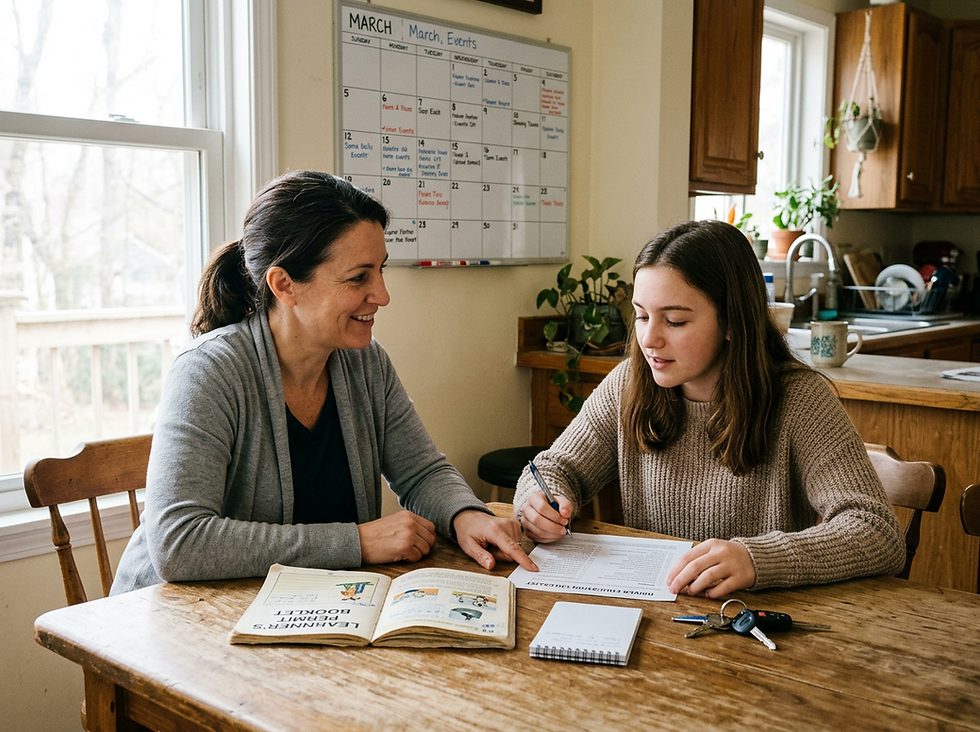
For parents, dash cameras can serve a different purpose. The goal is not only to record crashes. It is to help a new driver build safer habits.
Teen drivers are still learning how to scan the road, manage distractions, judge speed, and react to mistakes by other drivers. A dash cam can give parents and teens a shared record to review after a close call or stressful drive.
A parent might notice that their teen follows too closely on the freeway, brakes late at yellow lights, or takes curves too quickly on wet roads. A calm review of short clips can be more useful than a lecture based on fear.
That said, constant surveillance can damage trust if it feels like a trap. The best approach is direct and clear.
Parents should explain:
Why the camera is installed
What it records
Who can view the footage
When footage will be reviewed
What behavior will lead to consequences
What behavior will earn more independence
A dash cam works best as a coaching tool, not a secret monitor. If a camera includes cabin view, audio, GPS tracking, or live alerts, the teen should know. For many families, a front-facing camera with GPS and event alerts is enough. A cabin camera may make sense when distracted driving is a serious concern, but it is more intrusive.
Some dash cams and driver monitoring devices can alert parents about hard braking, sharp turns, rapid acceleration, or location changes. These alerts can help identify risky patterns, but they can also overstate normal driving events. A hard brake may mean the teen was careless, or it may mean another car cut them off.
Use the footage as the start of a conversation:
“What happened here?”
“What did you see?”
“What would you do differently next time?”
“What did the other driver do that you had to react to?”
This keeps the focus on judgment, not punishment.
Parents should also think about what happens when friends ride along. Audio recording may capture private conversations. Cabin video may record passengers who did not agree to be filmed. Turning off audio or choosing a road-facing camera can reduce that concern.
How to use dash cam footage after an incident
After a crash, safety comes first. Check for injuries, move to a safe place if possible, call emergency services when needed, and exchange information. The camera footage can wait until everyone is safe.
Once the immediate danger has passed, preserve the video. Many dash cams overwrite old clips unless the file is locked. Save the clip in the app, press the lock button if the camera has one, or remove the memory card when it is safe to do so.
Do not edit the original file. Save a copy if you need to share it. Keep the full clip before and after the incident when possible, not only the few seconds of impact. Context matters.
When sharing footage with an insurer, attorney, or law enforcement officer, be honest about what it shows. Do not claim the video proves more than it actually does. A clear, factual explanation is stronger than an exaggerated one.
A simple checklist after an incident:
Make sure everyone is safe.
Call for help if needed.
Exchange required information.
Save and lock the dash cam clip.
Photograph damage and the scene if it is safe.
Write down the time, location, and weather.
Share the footage only with the right parties.

The best dash camera is the one that fits your real driving life
A dash camera can be a smart investment for daily commuters, rideshare drivers, parents of teen drivers, road trippers, and anyone who parks in busy lots. It can document crashes, discourage false claims, capture hit-and-runs, and help drivers learn from close calls.
It also asks for responsibility. Install it safely. Understand what it records. Protect the files. Think carefully about audio, GPS, and cabin video. For parents, use it to teach safer driving rather than to create a constant sense of being watched.
When shopping, focus on the basics before the extras: clear video, dependable storage, simple controls, strong mounting, and a setup that will actually stay on and record every drive. A dash cam cannot make the road predictable, but it can give drivers something valuable when the unexpected happens: a clearer record of the truth.


Comments